Case study
From raw court decisions to an AI research workbench: a complete legal-tech product built by a small team
A small team built a legal-tech product in roughly three months, in three phases. An ingestion pipeline processed tens of thousands of court decisions from a government database. A semantic search engine returns citations a lawyer can trust. A multi-tenant AI research workbench holds the daily work of a legal team.
- Client
- Early-stage legal-tech startup in a legal market that works in German (anonymized)
- Industry
- Legal technology, AI-assisted legal research
- Scope
- Full product development - data ingestion pipeline, semantic search infrastructure, and a multi-tenant AI research application
- Engagement type
- Long-term product development with a deliberately small team
- Team and timeline
- A small team, roughly three months in distinct phases


The challenge
Legal research in the client's market runs through the official public legal information system. A government operates this database of court decisions and statutes. It is authoritative and free, but its design serves lookup, not research. A keyword search returns long lists of PDFs. A practitioner must then read dozens of decisions, compare them, and extract the relevant passages by hand. That manual work consumes a large share of every billable day.
The client's thesis: a lawyer does not need another chat window, but a research environment. In that environment, AI-powered search over the full body of case law, the documents themselves, and the lawyer's own notes and extracts sit in one workspace. The workspace is organized per case and shared across a team.
No comparable product existed for this market. The build required a solution to three hard problems, in sequence:
- Extract tens of thousands of court decisions from a government system designed for people.
- Make them semantically searchable, with citations a lawyer can trust.
- Put that capability into a product a legal professional works in all day.
What we built
The work ran in three phases. Each phase produced a result the team could test on its own.
Phase 1: the data foundation. An ingestion pipeline pulls court decisions from the API of the public legal information system, in paginated batches. For each decision it downloads the PDF, extracts the full text, and computes token metrics. It stores each document in PostgreSQL with the complete metadata: court, decision date, case numbers, legal areas, and norms. The original PDFs go to S3. The pipeline tracks every document through its process states, so it can resume, skip, and update incrementally.
Phase 2: retrieval a lawyer can trust. A court decision is long, and a legal argument can span several pages. We split each decision into 800-token chunks, with 200 tokens of overlap, so no chunk cuts an argument in half. We then enriched every chunk with context: an LLM labels each fragment with its subject inside the whole decision. Only then did we embed the chunks. Enrichment and embedding ran through the OpenAI Batch API, in submissions of roughly two million tokens. This cut the embedding cost to a fraction of the real-time price. The chunks live in OpenSearch as a vector index.
Search itself is a funnel. The system embeds the query. OpenSearch returns around 100 candidate documents. A multilingual rerank model (Cohere) scores them again against the query, and the top 20 reach the user.
An agentic deep search sits on top of that funnel, built with LangGraph. It drafts a research plan from the legal question, generates several search angles, and runs them all. It then summarizes the most relevant decisions and synthesizes a comprehensive answer. Every claim links back to the underlying documents.
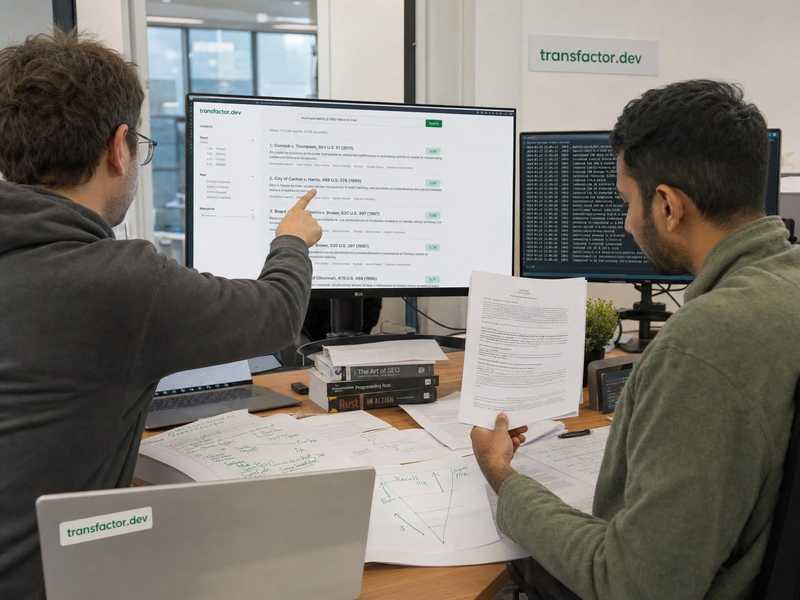
Phase 3: the product. A multi-tenant web application, organized around the unit a lawyer works in: the case. Each case is a three-panel research environment:
- A case library with sources, text snippets (with exact page and offset references back into the original document), hierarchical notes, and the full search history
- An AI research chat in the center, with an agent behind it that has more than a dozen specialized tools. The agent searches the case-law database, fetches and reads documents from the case, creates and edits notes, and maintains a research plan with tracked progress
- A workbench to read decisions, draft an analysis in a rich editor, and export to DOCX and PDF
The user chooses what the AI sees. A context manager pins specific documents, searches, notes, and snippets into a conversation. The system then compiles the full text of every selected item into the model context. A team shares cases through role-based access and invitations, with data isolation per team. The interface is fully bilingual, and code enforces the translation coverage.
A small browser extension connects the public system to the product. It adds a button next to every result on the search page of the official database. That button opens the client's research environment directly, with the decision already loaded.
Technology choices
- Next.js 15 with React 19 and TypeScript in strict mode - the web application and its backend-for-frontend in one codebase, with no
anytype anywhere - A separate Python FastAPI service for the heavy work: search, rerank, and the LangGraph research agent. It streams results to the browser through server-sent events
- PostgreSQL with Prisma, in separate schemas: the read-only case-law corpus on one side, and the user content (cases, notes, snippets, conversations) on the other. There are 29 data models, and every schema change is a versioned migration
- OpenSearch as the vector store, OpenAI models for embeddings, plans, and synthesis, and Cohere for multilingual rerank
- AWS throughout: S3 for documents, managed Postgres and OpenSearch, and containerized services
One architecture decision had the largest effect: the document is the unit of trust. Chunks exist for retrieval only. Everything the user sees - a result, a citation, a snippet - resolves back to a whole decision, with the court metadata intact. In a product for lawyers, an answer without a verifiable source is worse than no answer.
Why a small team works
AI-era product development inverts the old logic of staff numbers. The constraint is no longer typing speed, but decision quality: which retrieval strategy, which unit of trust, and which workflow to build first. A small team with full ownership of the stack, from pipeline to product, makes those decisions in a conversation, not in a committee, and ships them the same week. Three months of repository history show the pattern: focused phases, software that works at the end of each phase, and no coordination overhead.

The outcome
What the client walked away with
A product that works. In one research environment a legal team opens a case, runs AI-assisted deep searches across the full body of ingested case law, and collects and annotates the relevant decisions. The team also drafts work product, without a move to another application
Roughly 50,000 lines of TypeScript across 360 files on the product side, plus the Python search service and the data pipelines behind it. A small team built and owns all of it
A phase structure where each phase reduced the risk in the next one. The ingestion pipeline proved that the data was available. The retrieval engine proved that the answers were good enough. Only then did the product investment start, and the hard uncertainty was already gone
Do you build an AI product on data nobody organized yet?
Raw data, then retrieval, then the product: each phase reduces the risk in the next one. If your project has that shape, contact us and we will discuss where to start.